How We Built the Pedal Pals Printify Merch Agent (with Google ADK)
Or: teaching a robot squirrel to run a print-on-demand shop without listing “mystery blueprint #48291” on a toddler tee.
Who this is for
You’re a programmer. Maybe you’ve shipped plenty of CRUD apps and REST APIs. Maybe you’ve pasted prompts into a chat box and thought, “cool, but how do I put this in my product?”
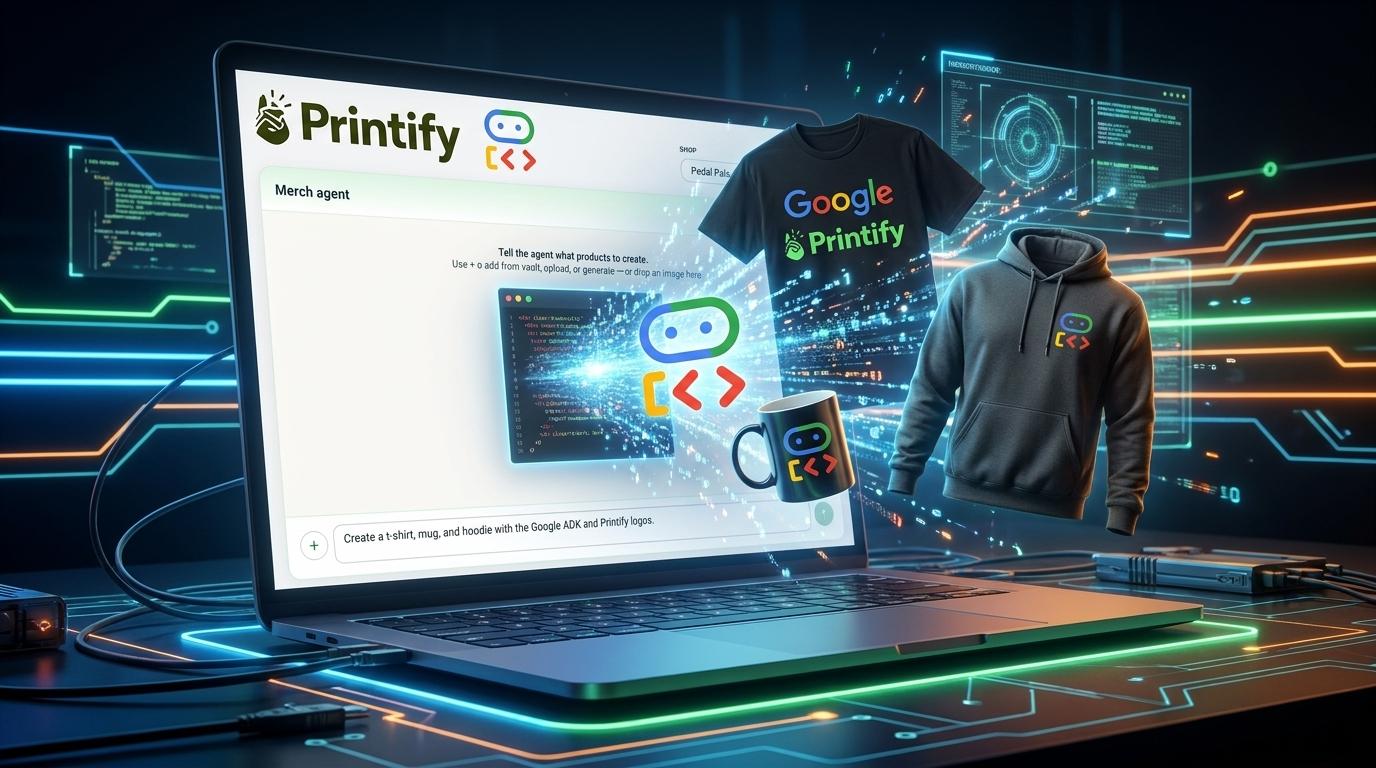
This post walks through how we built the Merch Agent for Pedal Pals — an admin tool that turns bike-safety artwork into Printify products (tees, hoodies, stickers, the works). We used Google’s Agent Development Kit (ADK) for one deployment shape, and the same tool contracts power the agent inside our Next.js app.
If you’re new to agents and the ADK, you’re in the right place. We’ll use plain language, real file paths, and the occasional dad joke about helmets.
Agents 101 (60-second version)
A large language model (LLM) is great at language. An agent is what you get when you let the LLM decide what to do next and give it tools (functions) it can call to touch the real world:
- Search a catalog
- Read a design from storage
- Create a product in Printify
- Ask a human “are you sure?” before spending API quota
Rough loop:
- User says something.
- Model thinks: “I need data” → calls
search_catalog. - Your code runs the tool, returns JSON.
- Model thinks again → maybe calls
create_products_batch. - Model replies in English (or calls more tools).
That loop is the whole game. Everything else — ADK, sessions, confirmation UI — is engineering around that loop so it’s safe, debuggable, and deployable.
What is Google ADK?
The Agent Development Kit (ADK) is Google’s toolkit for building agents in code (Python and TypeScript). Instead of hand-rolling “call Gemini, parse function calls, push results back, repeat,” ADK gives you primitives like:
| ADK concept | What it means |
|---|---|
LlmAgent | An agent with a model, instructions, and a list of tools |
FunctionTool | A typed tool the model can invoke (often with Zod schemas) |
adk web / adk run | Dev-time runners to chat with your agent locally |
Think of ADK as Express for agents: routing, structure, and conventions so you’re not inventing a new orchestration pattern every Tuesday.
In Pedal Pals, the ADK app lives in a small sidecar package:
agents/printify/
  agent.ts      # LlmAgent + FunctionTools
  package.json  # @google/adk, zod, adk-devtools
The main Next.js app has a parallel implementation (lib/printify/agentRunner.js) that runs the same tools via @google/genai — so admins get a polished in-app chat without running a second process in production. Same tools, two hosts. More on that later.
The problem we were solving
Pedal Pals admins have private design artwork (characters, safety themes) and want merch on Printify without clicking through twelve admin screens per product.
They need to:
- Pick or generate a design
- Find the right blueprint (tee, hoodie, bodysuit, …)
- Pick a valid print provider (you cannot guess this — Printify will 404 you into sadness)
- Match colors/sizes to variants
- Create drafts, preview mockups, then publish
That’s a workflow, not a one-shot prompt. Perfect agent territory.
Architecture at a glance
Rendering diagram...
Key idea: the tools are the contract. ADK tools and in-app tools both call the same Printify/design logic; only the orchestrator differs (ADK’s LlmAgent vs our hand-rolled Gemini loop).
The ADK sidecar: agents/printify/agent.ts
Here’s the heart of the ADK package (simplified for reading):
import { FunctionTool, LlmAgent } from "@google/adk";
import { z } from "zod";

const APP_URL = process.env.PRINTIFY_APP_URL || "http://localhost:3020";

async function callApp(path: string, body?: unknown) {
  const res = await fetch(`${APP_URL}${path}`, { /* POST + JSON */ });
  // ...
  return data;
}

const searchCatalog = new FunctionTool({
  name: "search_catalog",
  description: "Search Printify blueprint catalog",
  parameters: z.object({
    query: z.string(),
    limit: z.number().optional(),
  }),
  execute: async ({ query, limit }) => {
    const q = encodeURIComponent(query);
    return callApp(`/api/admin/printify/catalog/blueprints?q=${q}&limit=${limit ?? 20}`);
  },
});

export const rootAgent = new LlmAgent({
  name: "merch_creator_agent",
  model: "gemini-flash-latest",
  description: "Pedal Pals Printify merchandise creation assistant",
  instruction: `You help admins create Pedal Pals bike safety merchandise on Printify...`,
  tools: [listShops, searchCatalog, analyzeDesign, createProductsBatch],
});
The production path: agentRunner.js (Gemini + tool loop)
Inside the app, we don’t require ADK at runtime. lib/printify/agentRunner.js implements the classic tool loop with @google/genai:
- Load or create a MongoDB session (
PrintifyAgentSession). - Append the user message (plus
shopId/designIdcontext). - Call
generateContentwith function declarations built fromAGENT_TOOL_DEFINITIONS. - If the model returns function calls, run
executeAgentTool(name, args)and feed results back. - Repeat until the model returns text or we hit a guard (max 8 iterations).
- Special case: if a tool returns
awaiting_confirmation, stop and let the UI handle it.
That’s the same mental model as ADK — just explicit.
System instructions matter (a lot)
We baked Printify’s sharp edges into the system prompt, for example:
search_catalogreturns blueprint IDs only.- Never guess
printProviderId— callget_blueprint_detailsfirst. - Call
create_products_batchwithrequireConfirmation: trueuntil the human approves.
LLMs love to invent plausible IDs. Printify does not love that back.
Tools: the real API of your agent
Tools are defined in lib/printify/agentTools.js and mirrored (subset) in agents/printify/agent.ts.
| Tool | What it does |
|---|---|
list_shops | Printify shops on the account |
search_catalog | Keyword search over cached blueprints |
get_blueprint_details | Resolves provider + variant data for a blueprint |
load_design | Reads from private design vault |
analyze_design | Gemini vision → title, description, suggested colors |
remove_background | Gemini image edit for apparel-ready PNGs |
generate_design | New art with optional character references |
create_products_batch | Upload art, build variants, create drafts (optional publish) |
duplicate_product / list_products | Shop housekeeping |
Each tool is a normal async function. The model only sees name, description, and JSON schema for parameters.
Example: catalog search returns hints, not traps
searchCatalog in lib/printify/catalog.js returns entries like:
{
  blueprintId: bp.id,
  title: bp.title,
  brand: bp.brand,
  hint: "Call get_blueprint_details with blueprintId only — do not guess printProviderId."
}
We’re training the agent and the human maintainer.
Example: human-in-the-loop batch create
create_products_batch with requireConfirmation: true does not create products immediately. It runs prepareBatchPayload():
- Resolves every blueprint/provider pair via Printify’s provider list
- Fetches blueprint metadata (brand, model, image)
- Returns
{ status: "awaiting_confirmation", preview: { ... } }
The React UI (AgentConfirmPanel + ProductReviewSummary) shows rich cards: brand, provider, colors, sizes, per-product price, checkboxes for what to include.
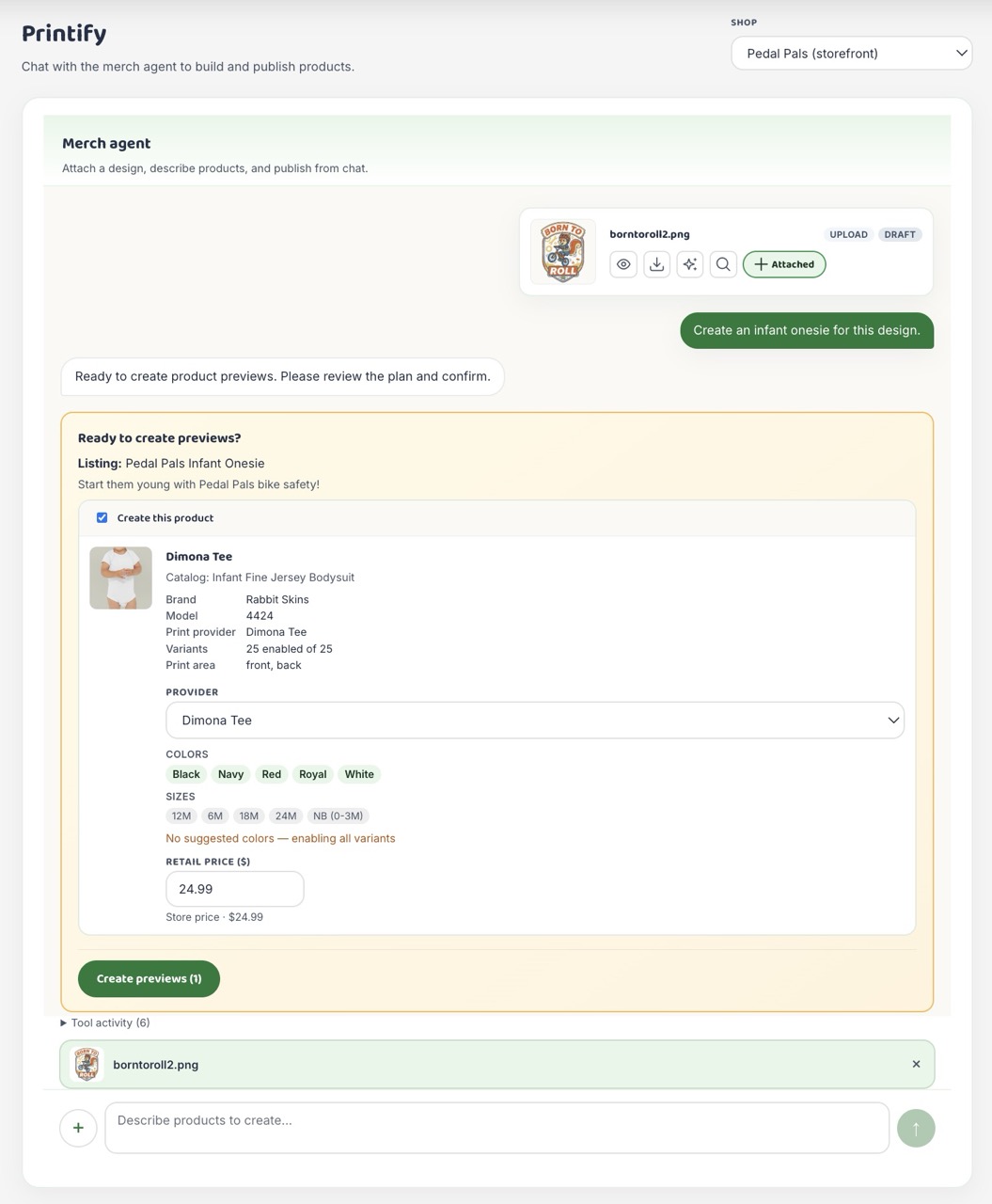
Only when the admin clicks Create previews does the app call:
POST /api/admin/printify/agent/confirm
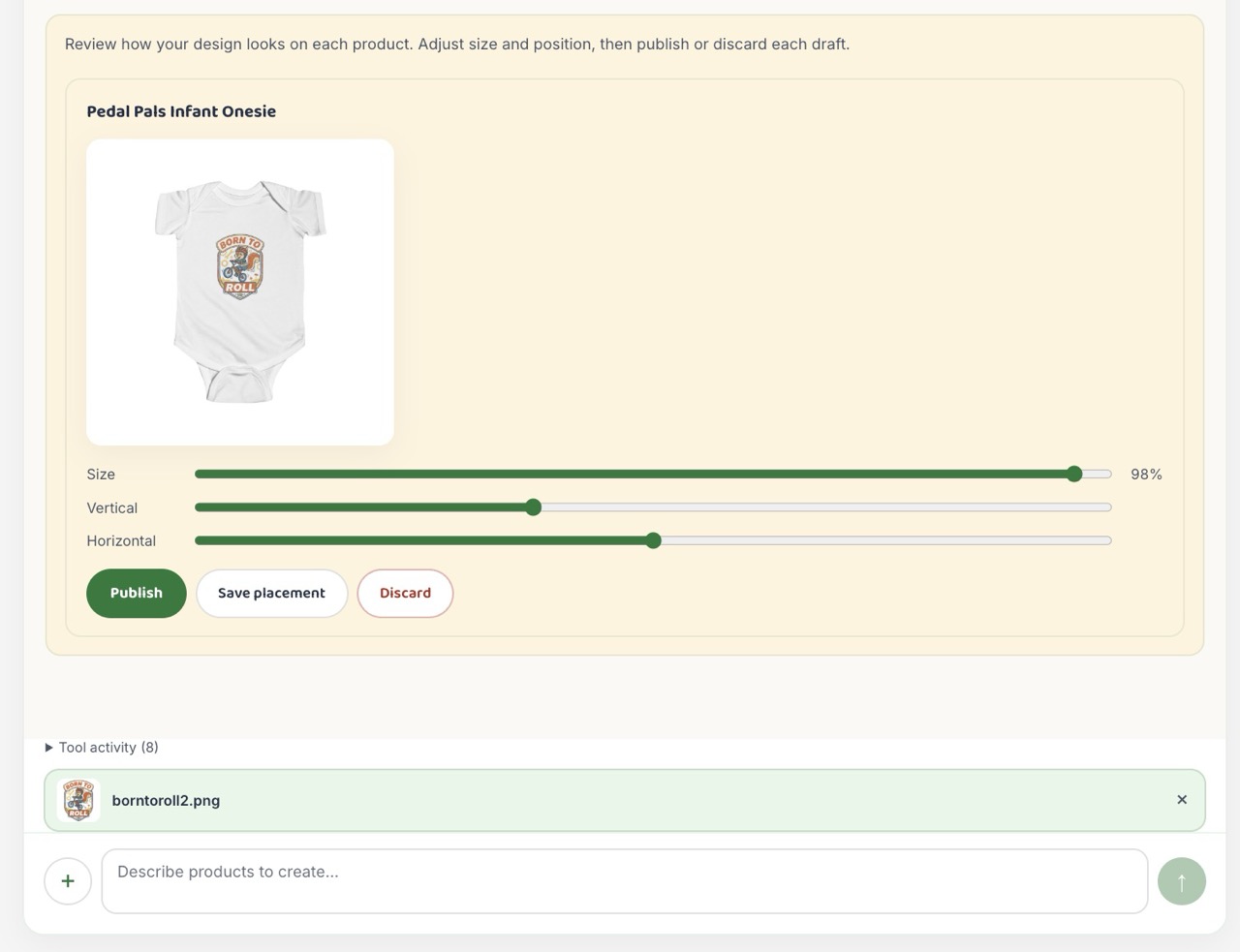
…which runs the same tool with skipConfirmation: true, creates drafts, polls for mockups, and surfaces ProductMockupReview for publish / discard / placement tweaks.
Agents that spend money should pause for a human. This is non-negotiable in merch.
Sessions and state
models/PrintifyAgentSession.js stores:
sessionId— UUID passed back to the clientshopId,designId— workflow contextmessages— chat history (last 20 turns fed to Gemini)pendingConfirmation— batch preview payloadstatus—active|awaiting_confirmation|completed|failed
Sessions survive page refreshes and make the confirm button idempotent-ish (same payload, same tool).
The admin UI: chat that feels like a product
MerchAgentChat.js is a client component that:
- Shows a preview thumbnail of the active design in the empty state
- Streams conversation bubbles (with typing indicator while tools run)
- Renders
AgentConfirmPanelwhenpendingConfirmationis set - Shows mockup review after drafts exist
- Navigates to the Products tab after publish
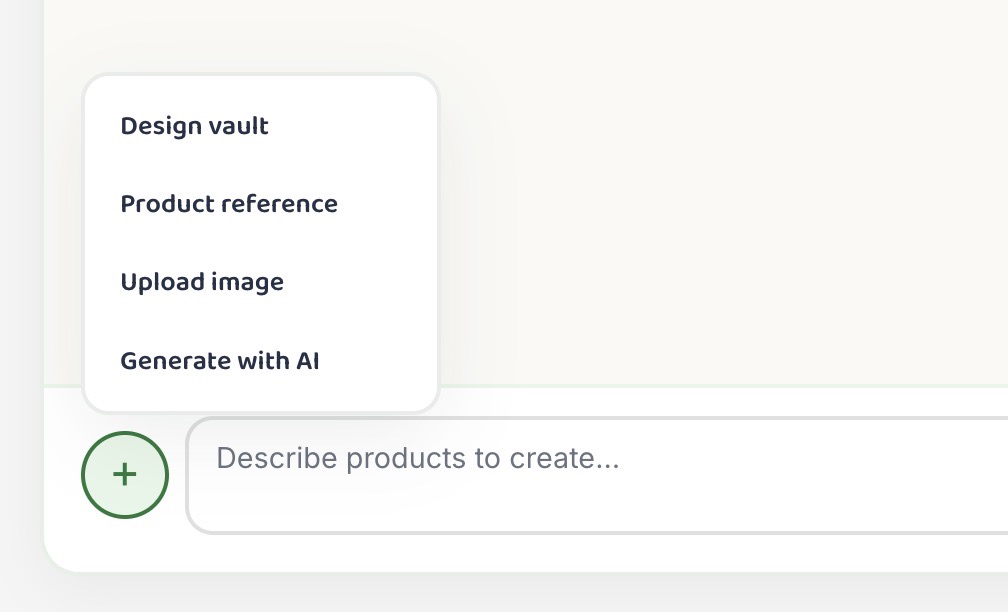
The Create page at /admin/printify/create is agent-only — attach designs via vault, upload, drop, or inline AI generate, then chat to build products.
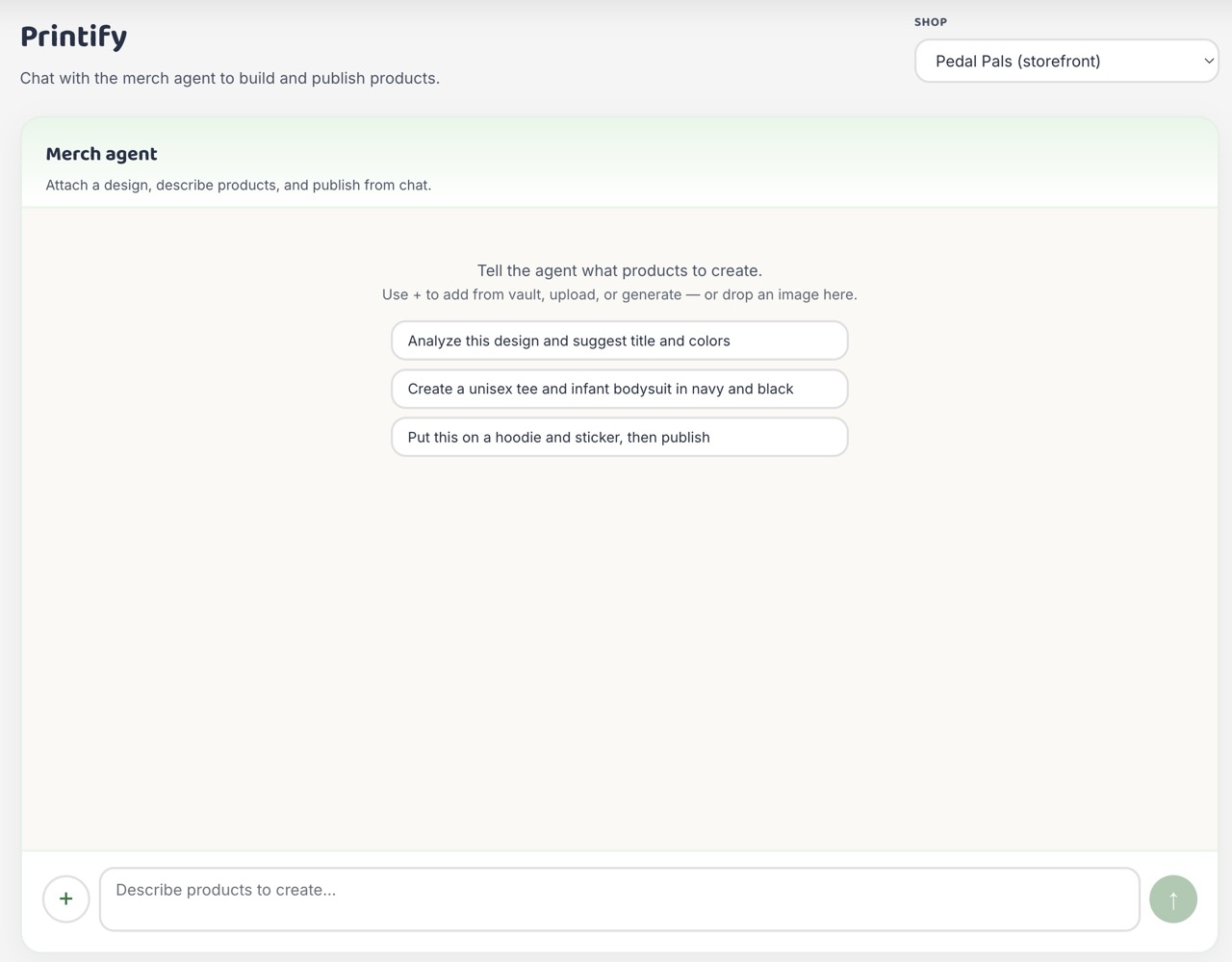
Previewing, Placement, and Mockups
Once drafts are generated, the admin reviews the mockups to adjust placement and pricing:
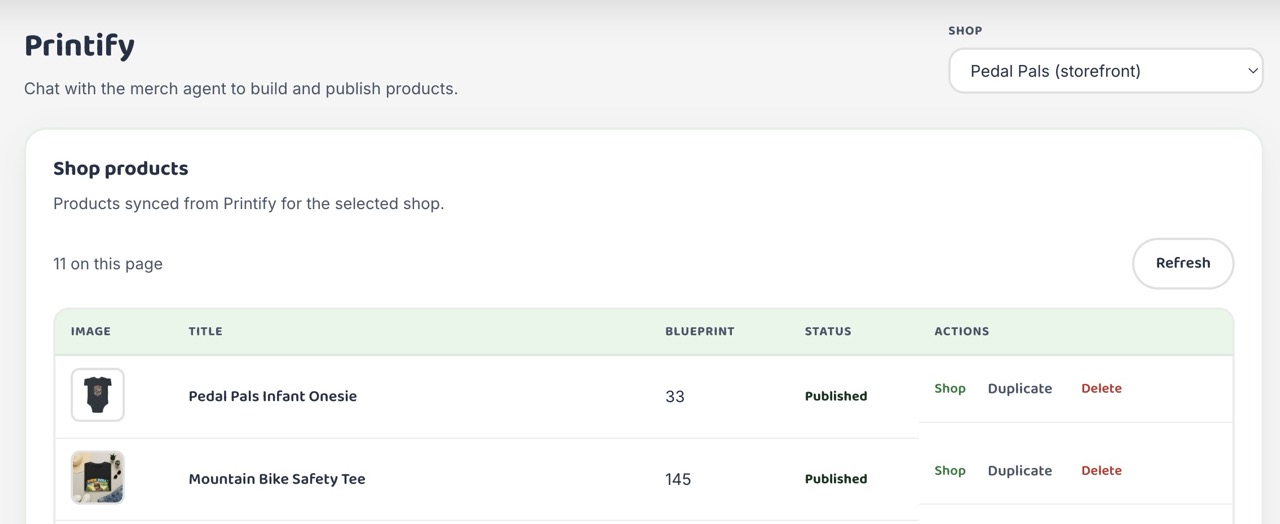
After review, clicking publish syncs the products and transitions the admin to the list:
End-to-end flow (what actually happens)
To make it fully concrete, here is what happens when an admin builds merchandise:
- Admin selects or generates art →
designIdin vault. - Admin opens Merch agent, types command (e.g., “Unisex tee and kids hoodie in navy and black.”).
agent/runkicks off → Gemini callssearch_catalog, thenget_blueprint_detailsfor each pick.- Gemini calls
create_products_batchwithrequireConfirmation: true. - API returns preview → UI shows Ready to create previews? with full product cards.
- Admin adjusts price, unchecks a product, clicks Create previews (2).
agent/confirmruns → drafts created, Printify generates mockups.- Admin tweaks placement, hits Publish → product goes live.
- UI jumps to product list and the items are visible in the store.
The agent did the boring research; the human did the judgment call. Everyone wins.
Lessons we learned (the hard way)
1. Never let the model guess provider IDs
Print providers are per-blueprint. “Provider 5” on a mug is not “Provider 5” on a tee. We added resolveBlueprintProvider() and made wrong guesses impossible in prepareBatchPayload.
2. Cache the catalog
Printify rate limits are real. Blueprints are cached in Mongo for 24 hours (PrintifyCatalogCache). Agents are curious; caches keep them from DDoS-ing yourself.
3. Two orchestrators, one tool layer
ADK for fast iteration in adk web; Gemini loop in Next for production. Don’t fork business logic — fork only the runner.
4. Confirmation is a feature, not friction
Batch creates without preview led to false “success” messages when every blueprint failed. Now we surface errors and require explicit confirm.
5. Placement and mockups are not the LLM’s job
Math for print area (lib/printify/placement.js) and polling for mockup URLs are deterministic code. Agents pick products; geometry stays in TypeScript.
File map (cheat sheet)
| Path | Role |
|---|---|
agents/printify/agent.ts | ADK LlmAgent + FunctionTool definitions |
agents/printify/package.json | adk web / adk run scripts |
lib/printify/agentRunner.js | In-app Gemini tool loop + confirm path |
lib/printify/agentTools.js | Tool schemas + executeAgentTool |
app/api/admin/printify/agent/run/route.js | Chat endpoint |
app/api/admin/printify/agent/confirm/route.js | Human approve endpoint |
components/admin/printify/MerchAgentChat.js | Chat UI |
components/admin/printify/AgentConfirmPanel.js | Pre-preview confirmation |
models/PrintifyAgentSession.js | Session persistence |
Where to go next
- ADK docs: https://google.github.io/adk-docs/
- Add a tool: define it in
agentTools.js, wireexecuteAgentTool, add aFunctionToolinagent.tsif you want ADK parity. - Tighten prompts: most “agent bugs” are bad instructions, not bad models.
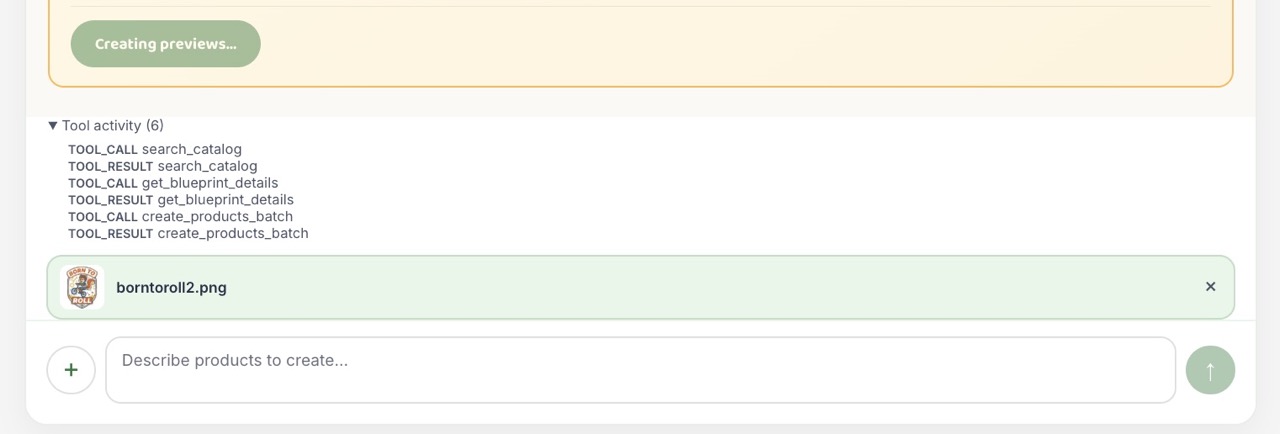
- Observe tool calls: expand the “Tool activity”
<details>in the panel or logeventsfromagent/run.
Closing thought
Building an agent isn’t about replacing your backend with magic. It’s about giving a model bounded superpowers — search, analyze, propose a batch — and keeping humans in charge of anything that hits an external API with a credit card attached.
We used Google ADK to prototype that shape quickly in TypeScript, then wired the same tools into Pedal Pals so admins get a friendly chat, a serious confirmation step, and mockups before anything goes live.
Now if you’ll excuse us, we have to explain to Benny the squirrel why he can’t publish a hoodie on blueprint ID null.
Built with Gemini, ADK, Printify, and an unreasonable number of bike safety puns.